FAPE FOR OMARCHY
Speak the thought.Make something of it.
Dictate into your apps. Catch ideas in your scratchpad. Get small things done with your voice.
One Fape account. No API keys. No credit card.
More than words in a text box.
01 / DICTATE
Your words, where you need them.
Press a shortcut and speak. Fape inserts text into the active app. Add optional correction, your own vocabulary, and English or German speech.
02 / CAPTURE
Catch an idea without switching windows.
A dedicated scratchpad shortcut writes straight to your notes file. Even inside your Obsidian vault. Keep the thought and stay with your work.
03 / ACT
Say what you want to get done.
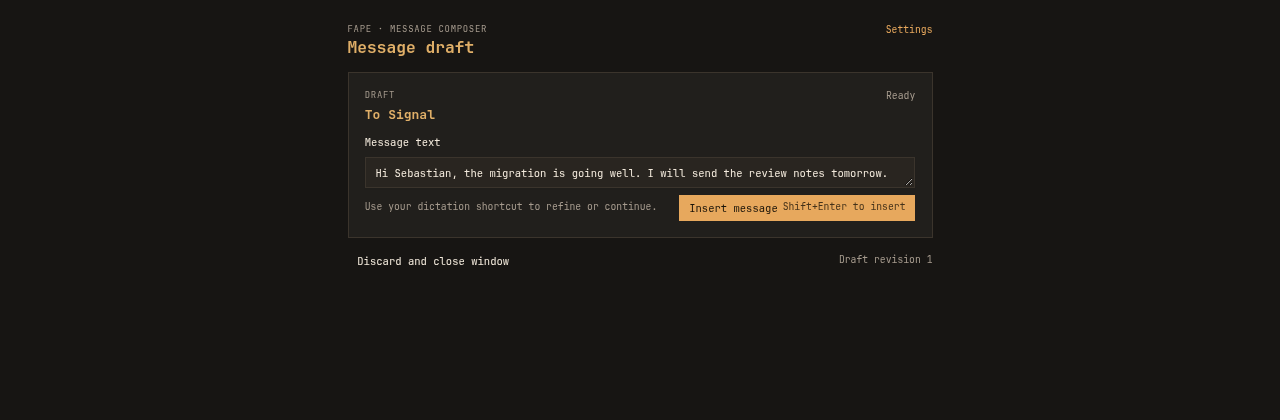
Open an app or website, write a note, or prepare a reply. You choose which actions Fape is allowed to perform.
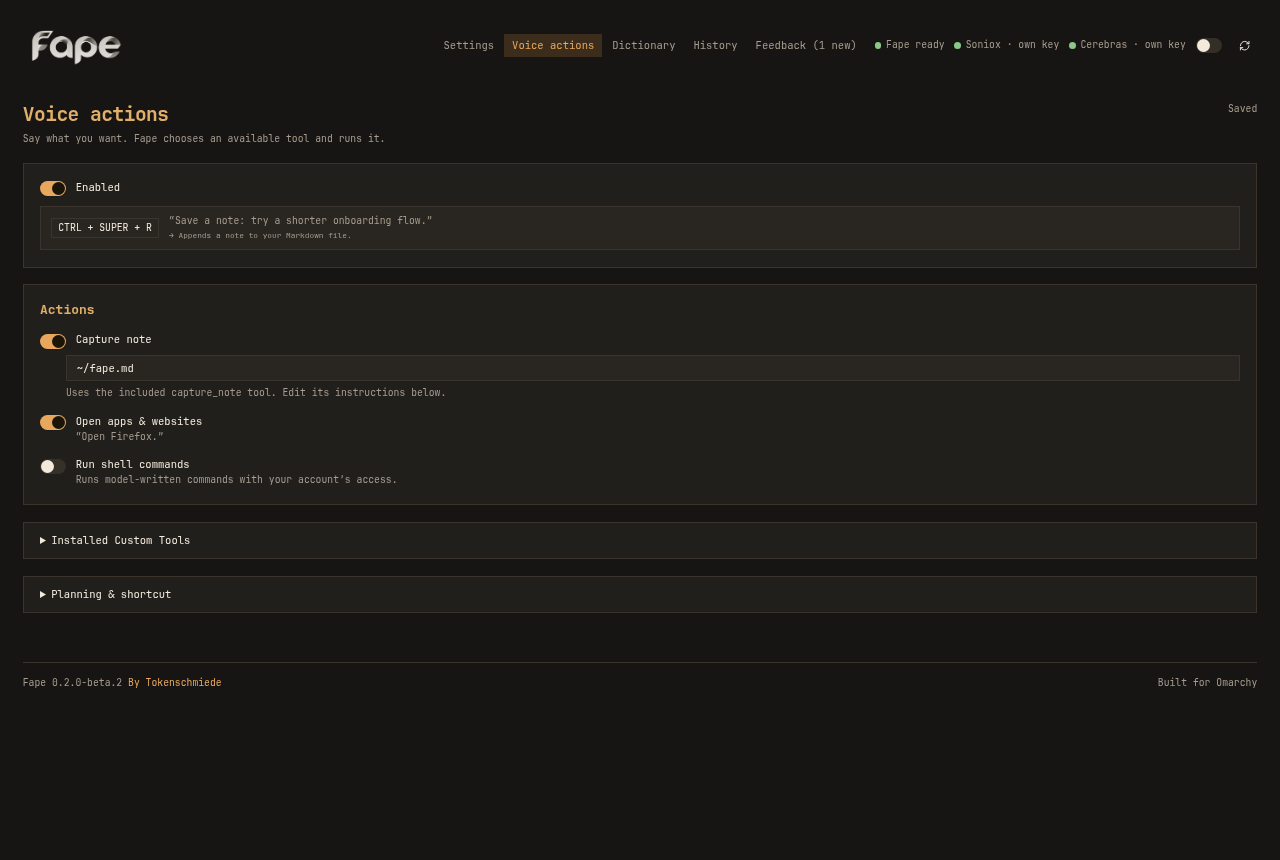
VOICE ACTIONS
A voice interface for your desktop. On your terms.
Enable the tools you want. Notes, desktop actions and editable drafts live in the same app as your dictation.
YOUR HISTORY
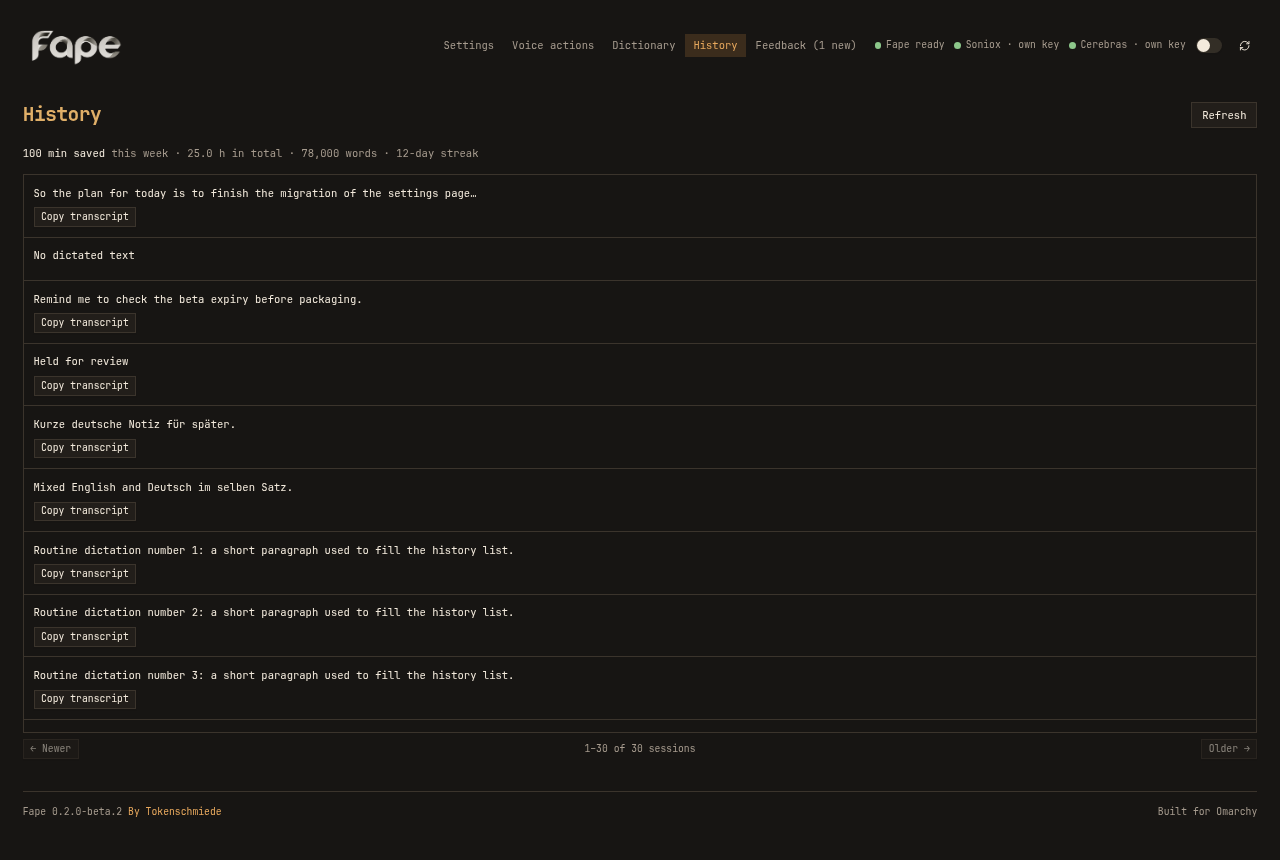
Keep it. Find it. Pick it up again.
Search your history, copy a transcript and flag a useful dictation. History and saved drafts remain accessible even after your access ends.
Already tried Superwhisper?
Fape is for people who want dictation, a direct scratchpad and explicit desktop actions in one workflow. That is our focus on Omarchy.
Linux on Omarchy, x86_64. No blanket claim of better speed or accuracy. No macOS or mobile app.
- Dictate into apps
- Cloud or local Parakeet recognition
- Your vocabulary
- A dictionary and approved learning suggestions
- Scratchpad
- A direct shortcut to your own notes file
- Voice actions
- Apps, websites, notes and reply drafts
- Your control
- Choose tools and edit drafts before sending
One account. The whole app.
START HERE
7 days free
Dictation, correction, scratchpad and voice actions. 5 cloud processing hours and 250,000 correction and action tokens.
Try it free for 7 days ↗FAPE
€10 per month
or €100 per year
Planned price. 10 cloud processing hours and 1 million correction and action tokens per calendar month. Local recognition uses no cloud audio allowance.
The trial is available. Payments are not open yet. Nothing is charged automatically.
A few useful details
What happens after seven days?
New dictation and actions require a subscription, including local recognition and personal-key modes. History and saved drafts stay accessible. While payments are not open, application access ends after the trial.
Where does my data go?
Cloud audio passes through Fape to Soniox. Text for correction and actions passes through Fape to Cerebras. The Fape account server stores no audio or transcripts. It stores account, access and usage records. Local history stays on your device.
Can I dictate offline?
Yes, after downloading the Parakeet model. Local recognition keeps audio on your device. Correction and AI actions need internet. Active access can be checked offline for up to three days, never beyond its end date.
What counts as cloud processing time?
The duration of processed audio streams. Screen vocabulary can use two streams and count twice. The trial allows four minutes per recording; the planned subscription allows up to 15 minutes.
Which systems are supported?
Omarchy 4 on x86_64. Other distributions, ARM, macOS and mobile devices are outside this release.
OMARCHY 4 · X86_64
From thought to first dictation.
- Install Fape with the command below.
- Verify your email and start your trial.
- Choose your microphone and shortcut. Start talking.
curl -fsSL https://raw.githubusercontent.com/sebkouba/fape-releases/main/install.sh | bashDownload fape · Explore on GitHub · Releases and checksums
Version 0.2.539 for Omarchy 4 on x86_64. No build expiry. Trial or subscription access applies.
Watch the founder demo · Privacy notice · Contact and support
The demo shows an earlier setup. Current Fape uses email sign-in. You can also open Feedback inside the app.